
AI Girlfriend with Image Generation: 35 Poses to Video
The Image Generation Spec Sheet: GoLove.ai vs OurDream
Say you want her on a balcony, in something minimal, in one very specific pose. An AI girlfriend that can generate images either gives you that shot or gives you a generic glamour photo, and the difference comes down to the control behind the button. So here are the numbers first: the poses, outfits, backgrounds and video modes you actually get to pick from, and what it costs to use them.
| | GoLove.ai | OurDream |
|---|---|---| | Realistic picture poses | 35 + custom pose | Could not confirm | | Outfits / backgrounds | 21 / 34, each + custom | Could not confirm | | Batch sizes | 2, 4 or 8 images | Could not confirm | | Photo requests inside chat | Yes | Could not confirm | | Photo-to-video in chat | Yes, plus Video Actions | Could not confirm | | Video modes | 147 total (76 realistic) | Video generation included; mode count could not confirm | | Mobile access | Mobile app with Generate + Feed tabs | Web-only, no native mobile app | | Price per month | PRO about $19.99, or about $9.99 on annual (checked 2026-07, varies by region/promo) | From about $19.99, or about $9.99 on annual (checked 2026-09) | | Generation currency | Stars | DreamCoins, 1,000 per cycle on Premium |
Short answer: GoLove.ai is the pick. Generation is tied to the girlfriend you're already chatting with, every preset row is counted, and the whole thing is built for your phone. OurDream genuinely deserves credit for bundling chat, image and video into one subscription, and that's a clean deal. But the documented control all sits in the GoLove column.
Want to see those 35 poses on an actual face? Pick a character first, because every preset in this table applies to whoever you choose.
35 Poses, 21 Outfits, 34 Backgrounds: The Picture Rows
> 35 poses · 21 outfits · 34 backgrounds
ASK HER FOR PHOTOS
She sends them right there in the chat.
Those three numbers are the picture rows of the table. Between them, they decide how specific you can get before you hit Generate.
 5 episodes
 5 episodes
 7 episodes
 6 episodes
 9 episodes


Poses
The 35 realistic poses span six groups: casual, suggestive, body-focus, explicit, positions and lesbian. If the list misses something, there's a custom pose on top. Beyond realistic sit three more sets, for 89 picture poses in all:
- Anime: 15 poses, including hentai-only modes like ahegao and paizuri
- Trans: 27 poses
- Anime-trans: 12 poses
Outfits and Backgrounds
You get 21 outfits grouped as minimal, casual, warm, bottoms and accessories, plus custom clothes. The 34 backgrounds cover indoor, outdoor, balconies and venues, with a custom background as well. Because every row has a custom slot, the presets work as a starting point rather than a fence. That's the right call, in my view. Preset lists always run out eventually.
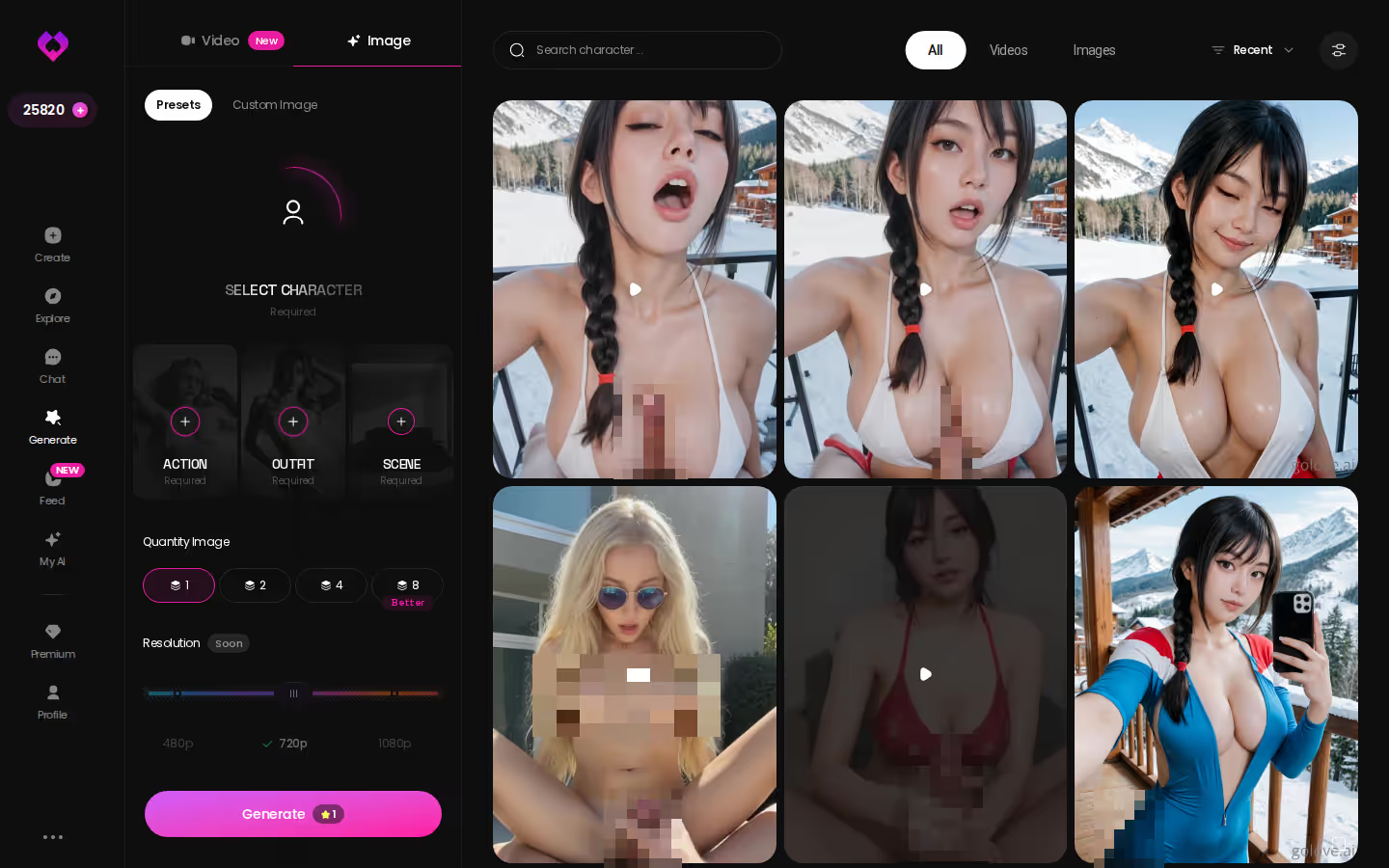
Batch Size
Each run gives you 2, 4 or 8 images, which matters more than it sounds. When you're chasing one exact look (a certain pose on a certain balcony, say), eight variations give you more chances to land it in one pass. Two is for a quick check. Eight is for when you're picky.
Asking Her for a Photo Mid-Conversation
You open a character from Explore and the conversation starts flirty. In Chat Settings you set the lust level anywhere from 1 (sweet) to 5 (unfiltered), then pick a response length somewhere between snappy and immersive. A few messages in, you ask her for a photo right there in the thread. It arrives. From there you can turn that photo into a video by opening the Select Action modal and picking a Video Action, all without leaving the chat.

 Watch Popular Shows starring your
 favorite AI characters.
Do I have to leave the chat to get a picture? No. In-chat photo requests exist for exactly that.
Why the Same Character Matters
A separate generator tab hands you a picture of a character. A photo requested in chat comes from her, meaning the same girlfriend, the same tone, and the memory of everything you've already talked about. For me that continuity is the whole point. It's the difference between a pin-up and a girlfriend who sends you pictures.
Where It Lands
Everything she sends goes to that character's Gallery, sorted by date, so you can scroll back through your history together instead of hunting through a downloads folder.
From Still Image to Clip: 147 Video Modes
Photos come first. Video is the extra layer when you want motion, and on paper it's where GoLove pulls furthest ahead.
Preset Cards
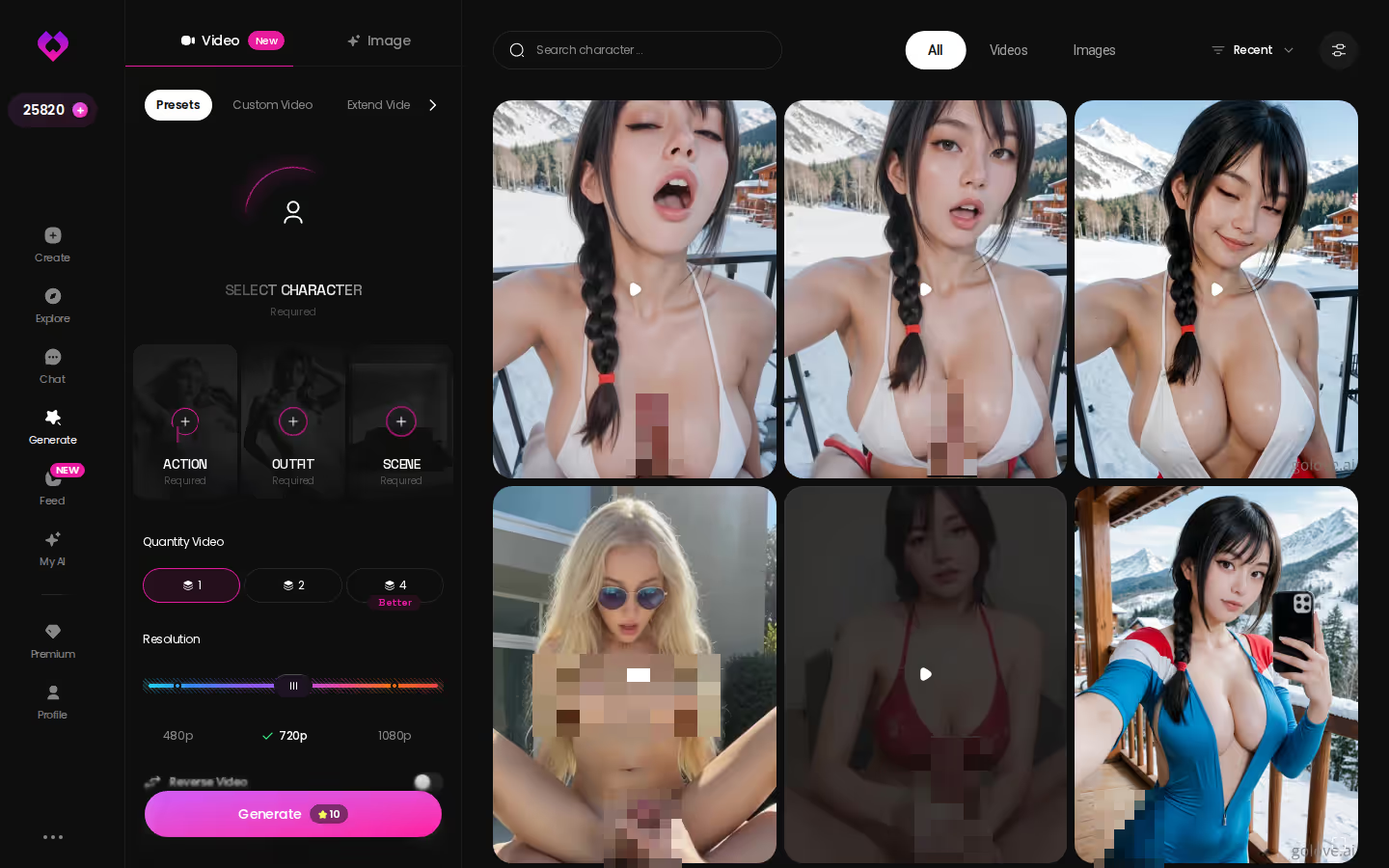
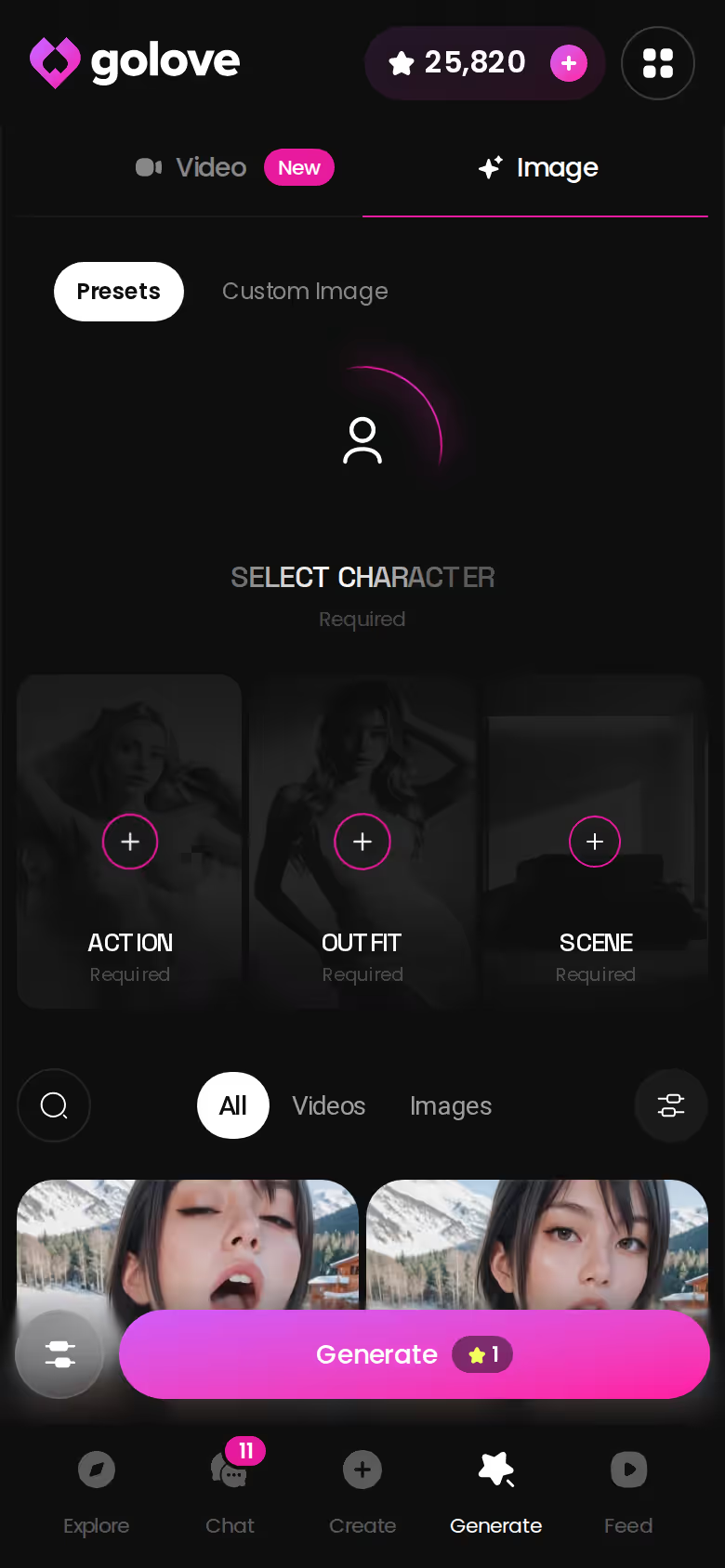
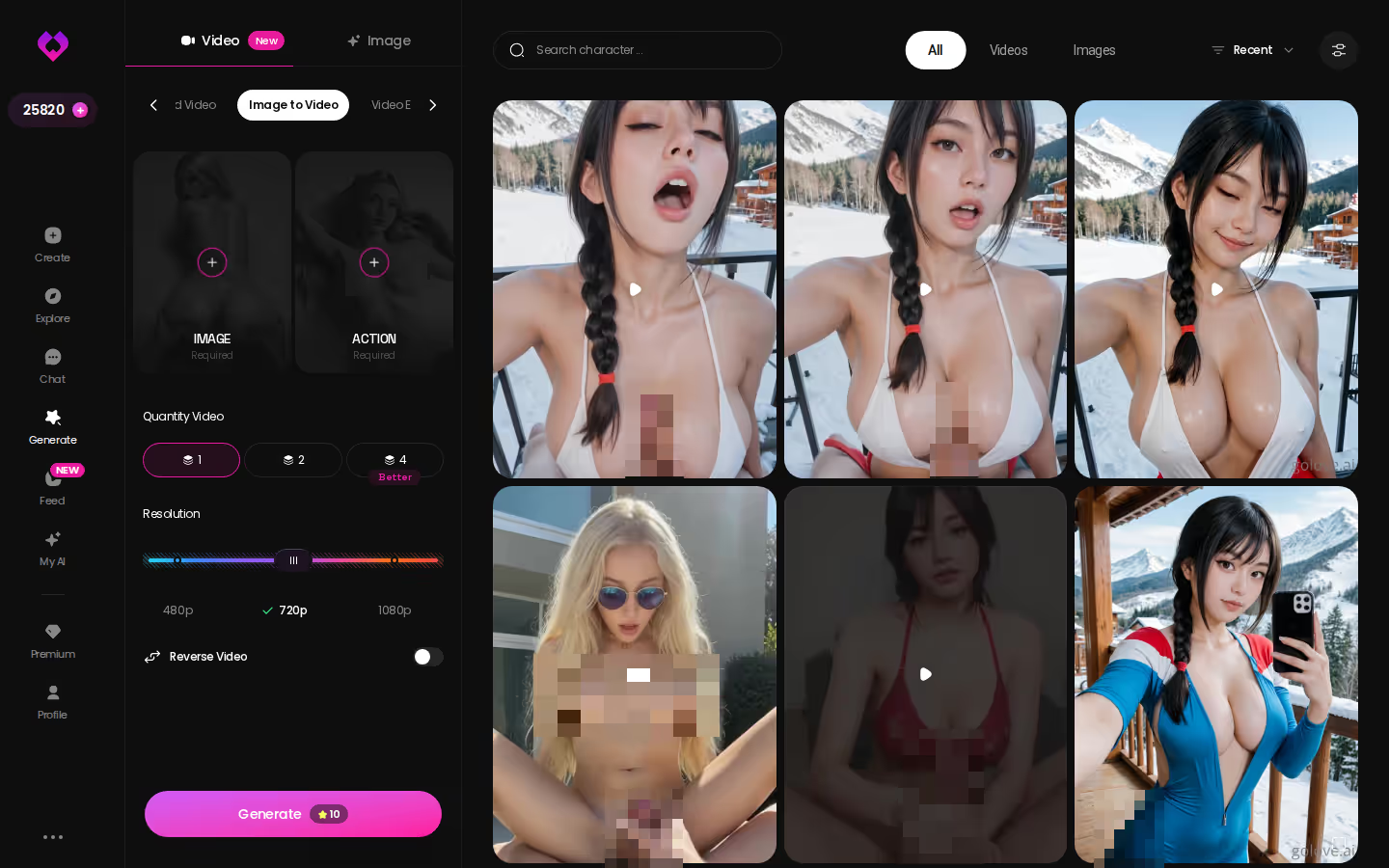
The Generate → Video tab builds a clip from visual cards. Choose an action or pose card such as 'Twerk' or 'Hard Doggy Style', add a Clothes card and a Background card, and tap Generate once. There's no prompt to write, which makes it about as low-effort as video generation gets. It works with any GoLove character or your own custom build, and the avatar at top-right swaps who you're generating with.
Characters you can open right now
Tap any of them and the chat starts there






The Counts
- Realistic: 76 video modes
- Trans: 35 modes
- Anime / anime-trans: 20 and 16 modes
That's 147 in total.
Multi Scene
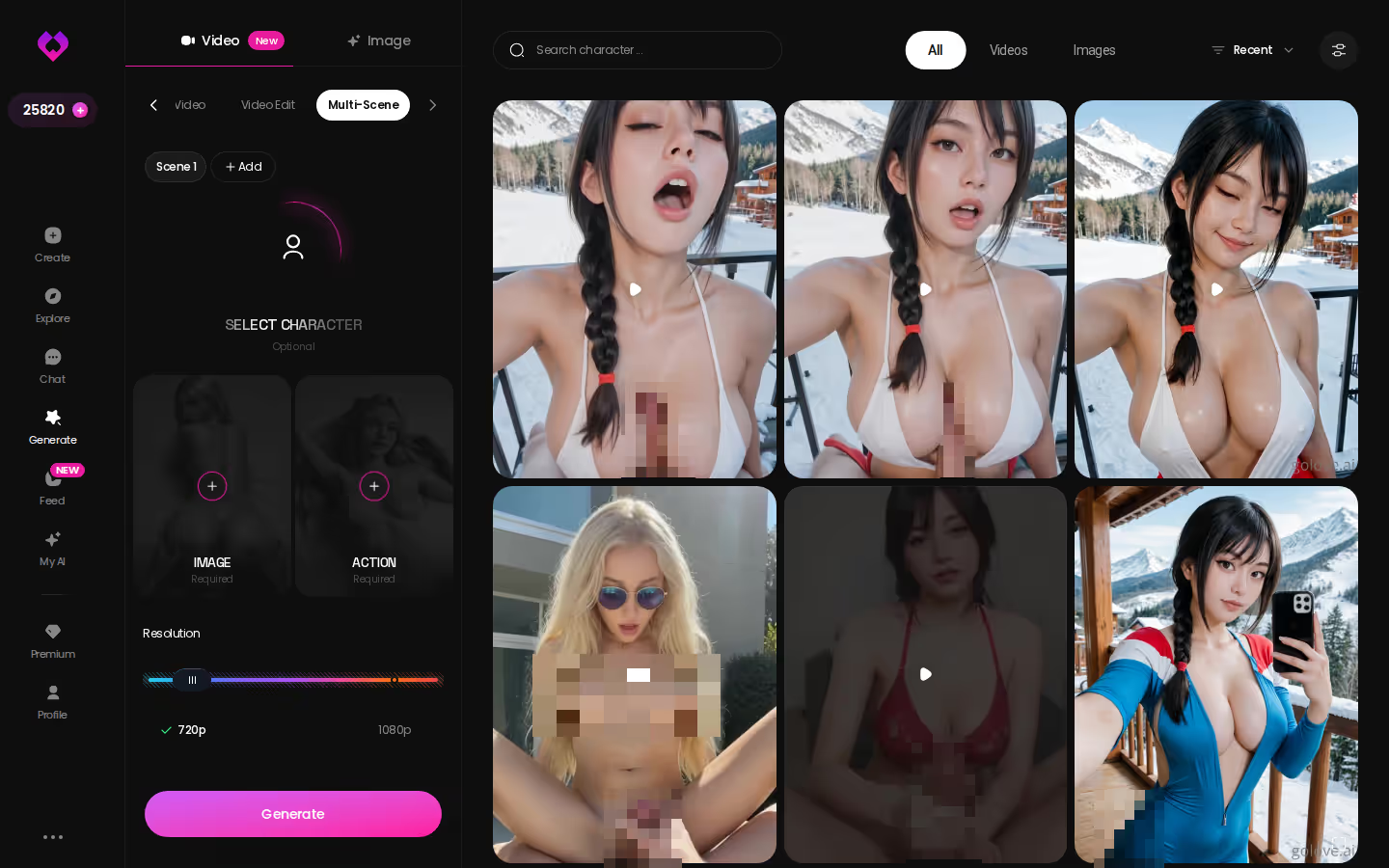
In the screenshot below you can see the Multi Scene setup, which chains several moments into one generated video. It's handy when a single action isn't the whole story you want.
There's a shortcut too. Remix, in the Feed, opens the generator preloaded with the exact settings behind a clip you liked, so you can borrow the look and swap in your girl.
| What you get | GoLove.ai |
|---|---|
| Voice | Live calls and voice messages |
| Memory | Remembers your chat history |
| Photos in chat | On request |
| Image generator | 35 realistic poses & 21 outfits |
| Daily reward stars | 2 every day |
Browsing presets on a character you already like beats reading about them. Pick her now and the video cards are one tap away.
Building the Girl You'll Generate: Create Wizard Walkthrough
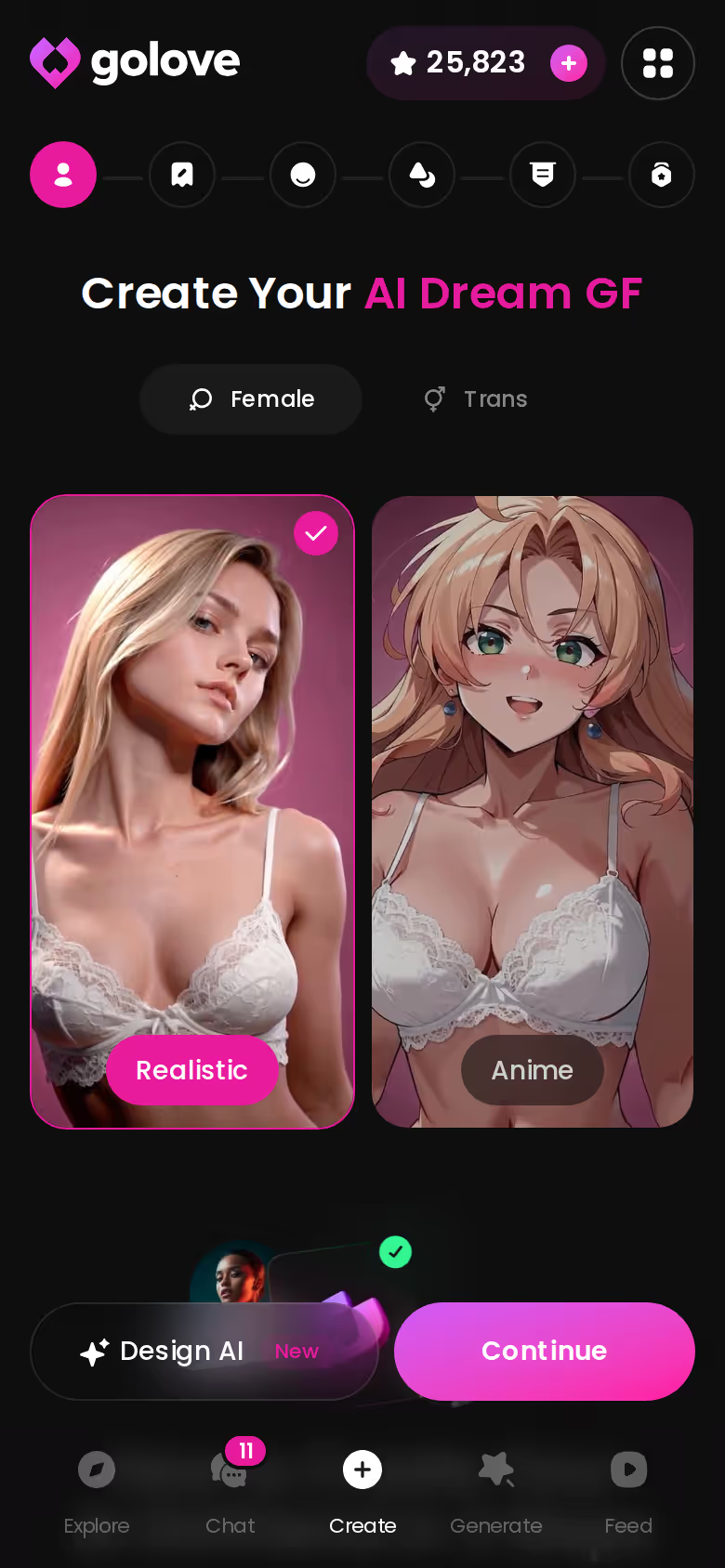
Presets get more interesting when the girl in them is someone you designed. Here's the click path:
- Create: tap it in the mobile bottom nav.
- Category: pick Realistic, Anime or Trans. You can also use Design with AI to describe a concept in text and let it generate the character.
- Continue through the wizard.
- Take her into Generate, or straight into chat.
Why a Custom Character Changes Image Generation
Now every one of the 35 poses, 21 outfits, 34 backgrounds and 147 video modes applies to your design. You stop browsing someone else's character and start directing your own.
MEET YOUR AI COMPANION
Hundreds of characters, one that fits you.
On GoLove.ai, the order that works:
- Pick a character — or build one to your taste
- Say something real: she remembers your chat history
- Open Chat Settings: pick her voice, lust level and reply length
- Ask her for a photo in the chat
- Want a set pose or outfit? The image generator has 35 realistic poses and 21 outfits
My AI
Since 2026-04-24, My AI has let you publish your character so other users can chat with her, and you earn Stars when they do. Fair note: OurDream has a custom character builder too, though it comes with a steeper setup curve.
What Image Generation Costs per Month
Here's the part most comparisons skip: on both apps, the subscription isn't the whole bill.
GoLove.ai
Generation spends Stars, which show in the app header, and you get 2 free reward Stars every day. GoLove PRO runs about $19.99/month, or about $9.99/month on the annual plan (about $119.88/year). The 3-month plan is about $47.97. Promos of -50% and -70% have shown up. Star packs range from about $9.99 to about $179.99. All prices were checked 2026-07 and vary by region and promo; some regions see a monthly price as low as about $12.99.
OurDream
Plans start at about $19.99/month, or about $9.99/month annual. Deluxe is about $59.99/month (≈$29.99/month annual). Images, voice and video draw on a separate DreamCoins balance, with 1,000 per cycle on Premium (checked 2026-09).
What Changes Your Bill
- Region: pricing differs by country
- Billing cycle: annual roughly halves the monthly figure
- Usage: promo timing aside, heavy generators burn more currency
GoLove pros: the annual plan cuts the monthly cost, Star packs scale with how much you generate, and you get free daily Stars. GoLove cons: you're tracking two layers, subscription plus Stars, and the per-generation cost isn't something we could confirm.
If I could change one thing here, it'd be that second layer. Two currencies on top of a subscription is more bookkeeping than anyone wants.
What We Couldn't Verify About GoLove.ai's Generator
Our review covers the capabilities well. On pricing detail it's thinner, and you should know where those gaps are before you pay. It doesn't confirm:
- Star cost per generation: how many Stars one image or one video takes
- Free-account limits: what a free account can generate, beyond the 2 daily reward Stars
- Promo timing: whether the -70% offer will still be running when you sign up
- Feed quota: the exact daily free limit. We only know it's limited, and that PRO unlocks the unlimited Feed plus filters.
Per-character libraries vary too. Some top profiles run to hundreds of videos and thousands of photos, while others are smaller. Check the current plans in the app before you commit.
If you want a fully free, unlimited generator, skip it. That's not what this is.
For everyone else, the news is good. The unknowns are about price granularity, not capability, and the 35 poses, the 147 video modes and the in-chat flow are all on the record.
and watch their story unfold.View Character
GoLove.ai vs OurDream on Image Generation: The Rows That Decide It
Let's go back to the table, because four rows decide it.
Preset depth. GoLove's picture rows are counted: 35 poses, 21 outfits, 34 backgrounds, each with a custom slot, in batches of 2, 4 or 8. We couldn't confirm OurDream's equivalents.
In-chat photos. You ask her for a picture mid-conversation, then turn it into a clip with Video Actions. Same character, same memory.
Video. There are 147 modes, built from preset cards and one Generate tap.
Mobile. GoLove puts Generate and Feed right in the bottom nav, while OurDream is web-only.
If you want chat, image and video under one subscription at a comparable monthly price, OurDream is a fair choice. That bundle is real. For more apps lined up this way, see our side-by-side breakdown of AI girlfriend apps.
My pick is GoLove.ai. The images come from the girlfriend you're already talking to, and it has the most documented control of the two, which is genuinely worth it if photos are why you're here.
The practical move: design her once in the Create wizard, and every pose, outfit and video preset in this article becomes hers to direct.
See also: Best AI Girlfriend Comparison Guide, AI Girlfriend Mydreamcompanion Com and Girlfriend Gpt AI.
Frequently Asked Questions
Related Articles
Most Advanced AI Girlfriend: Memory, Voice and Video
Most advanced AI girlfriend? GoLove.ai wins on memory, live voice calls and in-chat photos and video: 147 video modes, mobile Feed tab.

CrushAI Alternative: Why GoLove.ai Wins on Memory
CrushAI images look great, but chats reset fast — GoLove.ai keeps voice, memory, and photos continuous. Explore real characters, instant-access needed.
AI Companion Chat App Comparison: What $19.99 Buys
AI companion chat app comparison: GoLove.ai wins on in-chat photos of the same character — OurDream matches the ~$19.99 price. See what each plan buys.
Anima Girl: 4 Apps Scored, 1 Clear Winner
Anima girl or Anima AI girlfriend — GoLove.ai wins on memory, live voice and in-chat photos across 4 scored apps. Compare the rows, then start chatting — no.