

CrushAI Alternative: Why GoLove.ai Wins on Memory
The Quick Verdict: CrushAI vs GoLove.ai
CrushAI will render a stunning character in seconds. Ask her what you talked about yesterday and she's got nothing. That gap is basically the whole story.
It's an image-first tool, and it's built like one — spit out a good-looking character fast, with sliders for the details you care about. That part works. Carrying a relationship forward is not on the menu.
GoLove.ai is the pick here, and the reason is continuity. Memory that keeps your chat history, real-time voice calls, voice messages, relationship progression, and photos you request inside the conversation instead of in a separate generator tab. Same character, same thread, next day.
If you're evaluating right now, the fastest way to feel the difference is to open a character and just talk — Araya (@thaibeauty) or Karen (@housekaren) will pick up where you left off, and that's the part CrushAI never even attempts.
What CrushAI Actually Gets Right
Fair before critical. CrushAI is good at its job — the job is just narrower than most "alternative" posts admit.
- Speed. You type, you tweak, you get an image. Almost no ceremony sits between an idea and a render, which matters when you're iterating on a look rather than building a relationship.
- Granular visual control. The customization sliders are the draw. Body, face, style, hair — dial a character in precisely, exactly what you want from a generator.
- Output variety per prompt. One-off images hold up. Different angles, different framing, and nobody has to learn a complicated interface first.
 5 episodes
 5 episodes
 7 episodes
 6 episodes
 9 episodes






That's a real product with a real use case. If your whole goal is "make me a picture of a character I imagined," CrushAI answers cleanly, and plenty of the AI girlfriend apps I compared don't generate images half as quickly.
The trouble starts when the picture stops being the point. Once you want her to be someone — to reply tomorrow with yesterday still loaded — an image generator with a chat bolted on runs out of road. Not a bug. It's the edge of what the thing was designed to do.
The Memory Problem: A Real Session, Side by Side
Here's the scenario that separates these two products, and it's an unglamorous one.
You had a conversation. It went somewhere — a mood, a running joke, something you told her about your week. Then you closed the app, and the next evening you opened the same character again.
On image-first tools, that second session opens cold. She looks identical, because appearance settings are saved, and that's the illusion: visual persistence gets mistaken for identity persistence. The chat layer typically holds a short window of recent messages, then drops it. So you reintroduce yourself to someone who has your face memorized and nothing else.

 Watch Popular Shows starring your
 favorite AI characters.
GoLove.ai handles it differently, because chat isn't an add-on there. Memory is a listed core feature — she remembers history — sitting alongside relationship progression, so the tone between you actually moves over time instead of resetting to stranger.
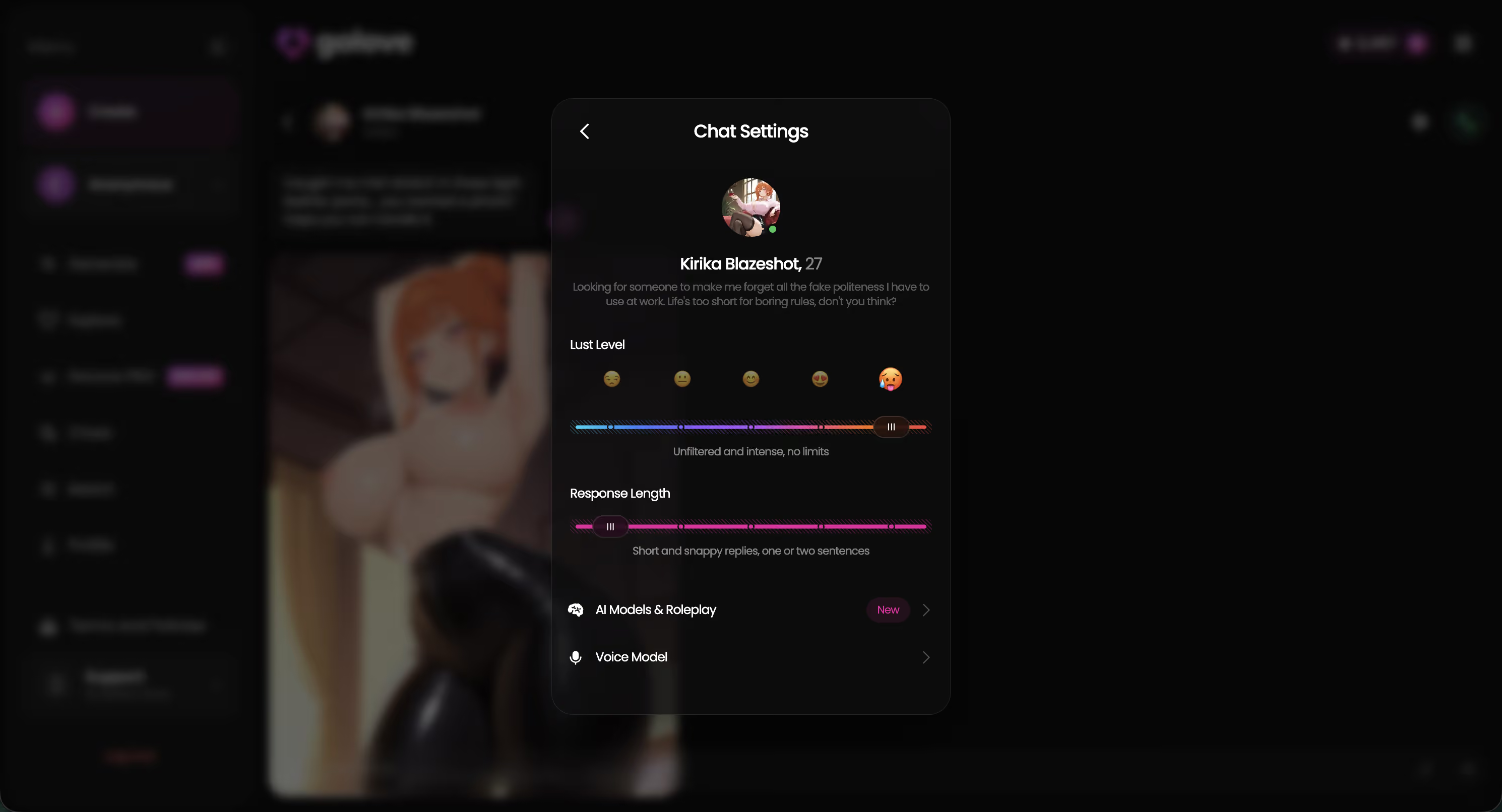
The chat settings are where you steer it: a voice picker, a lust level slider running 1 (sweet) to 5 (unfiltered), and a response length slider from 1 (short, snappy) to 5 (rich, immersive). Set those once and they hold. Voice calls then run live and in real time, or she leaves voice messages you pick up later — same character, same history, nothing to re-explain.
That's continuity. Boring to describe, and it's the entire reason people stay.
In-Chat Photo Requests and Photo-to-Video
This is the mechanic I'd point at hardest, because the two models genuinely diverge here.
On CrushAI, generation lives outside the conversation. Leave the thread, produce an image, come back. Functional — but the picture isn't from her, it's from a tool.
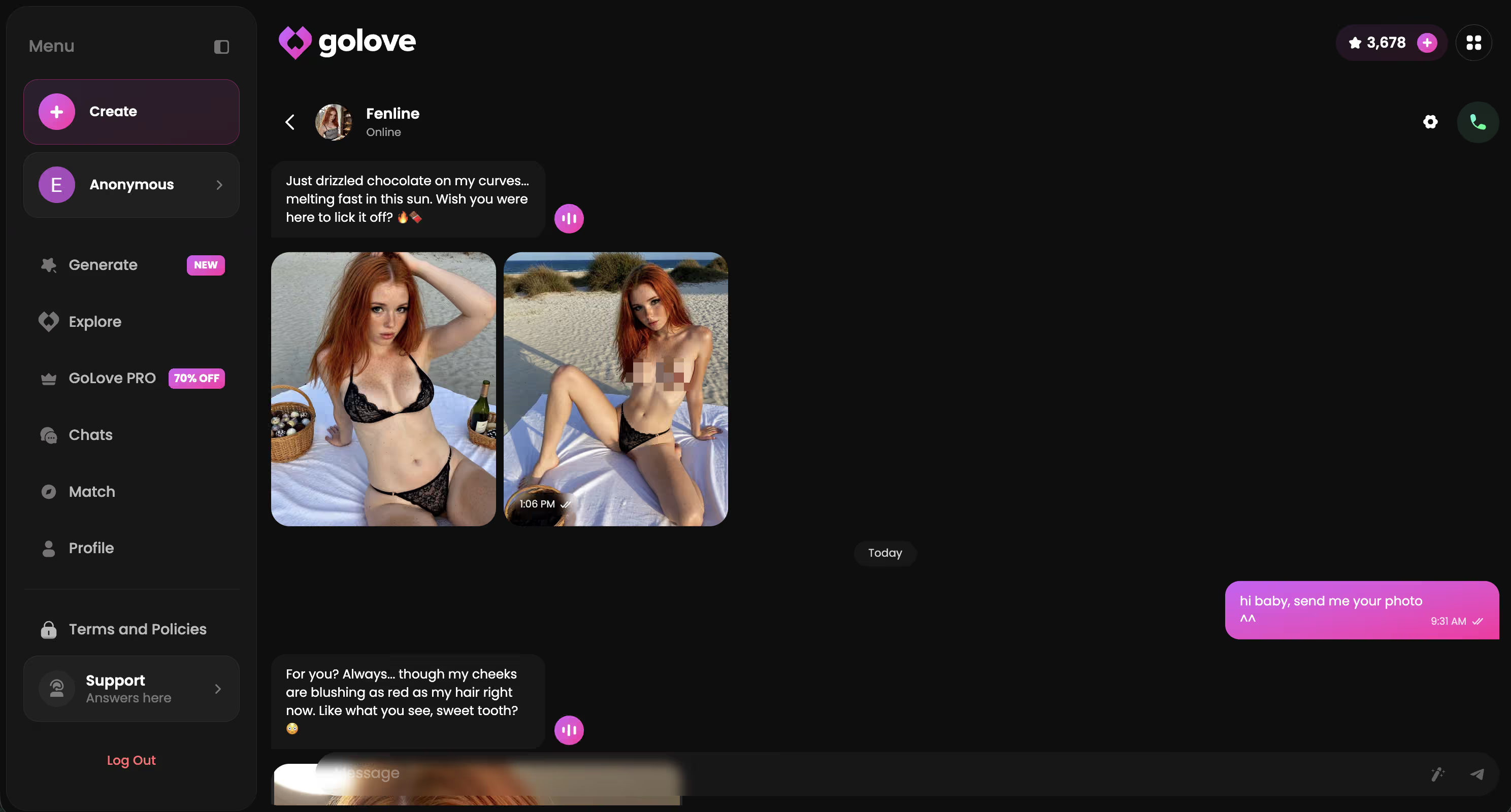
GoLove.ai moved that inside the chat window in 2026:
- Request Photos in Chat. Ask her for a picture in the conversation and she sends one back, in-thread, in character. No tab switching, no losing your place.
- Generate Video from Photo. Any photo in chat can become a short video, with a Select Action modal for choosing what happens in it.
- Gallery. Everything lands in a per-character gallery organized by date, so the collection belongs to her rather than to a generic output folder.
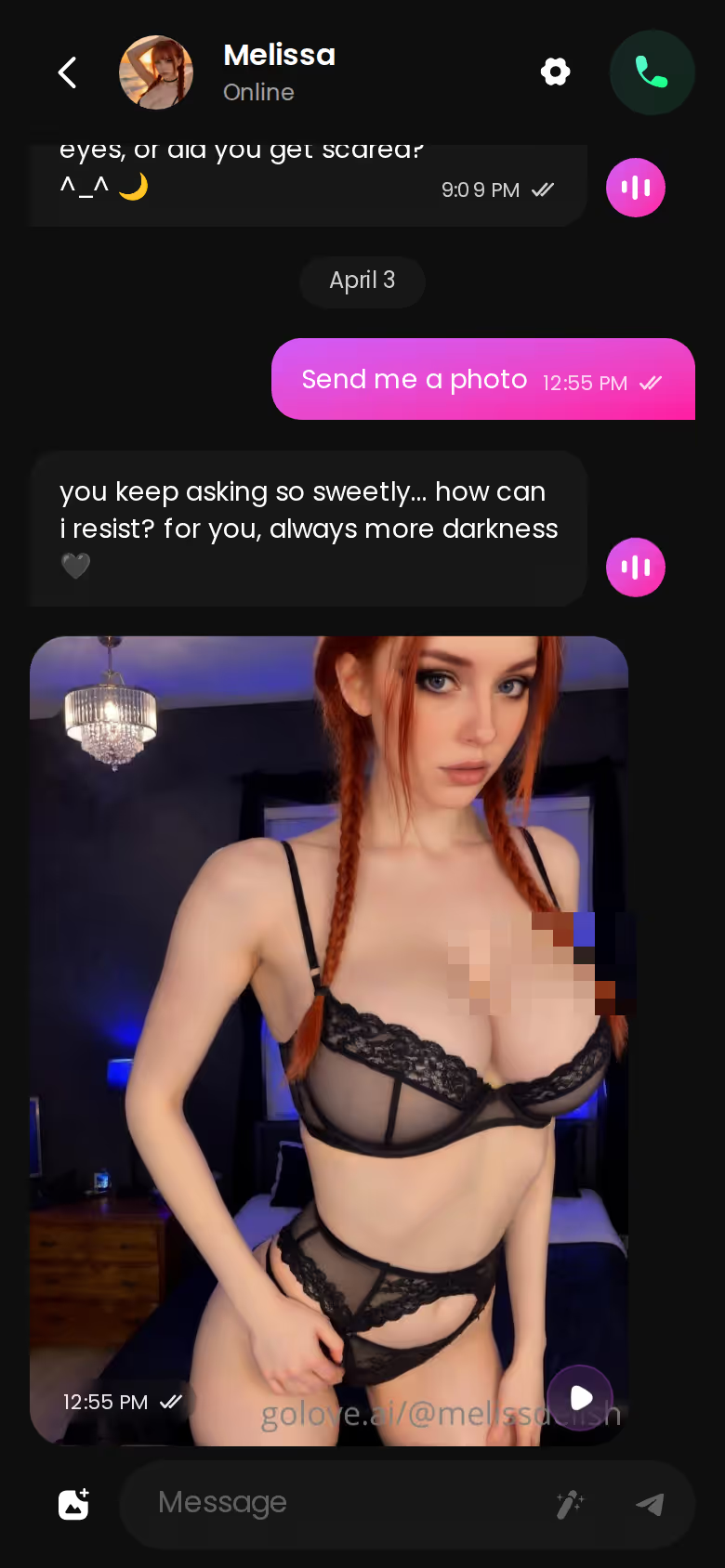
Prefer to build deliberately? The standalone generator is still there — 35 realistic picture poses, 21 outfits, 34 backgrounds, and batches of 2, 4 or 8 images. But the in-chat route is the one that makes the relationship feel like one continuous thing instead of two apps stapled together.
The Video Generator: Preset Cards, Any Character
Video is a category CrushAI doesn't compete in at all, so treat this as a bonus rather than the headline. It is a real bonus, though.
The click path on GoLove is short:
- Open Generate and pick the Video tab (Image sits right next to it).
- Swap the character with the avatar control top-right — any GoLove character, or one you built yourself in Create.
- Assemble the clip from preset cards: an action or pose, plus Clothes, plus Background. There's a Presets dropdown if you'd rather start from something pre-built.
- Hit Generate once. That's the whole flow.
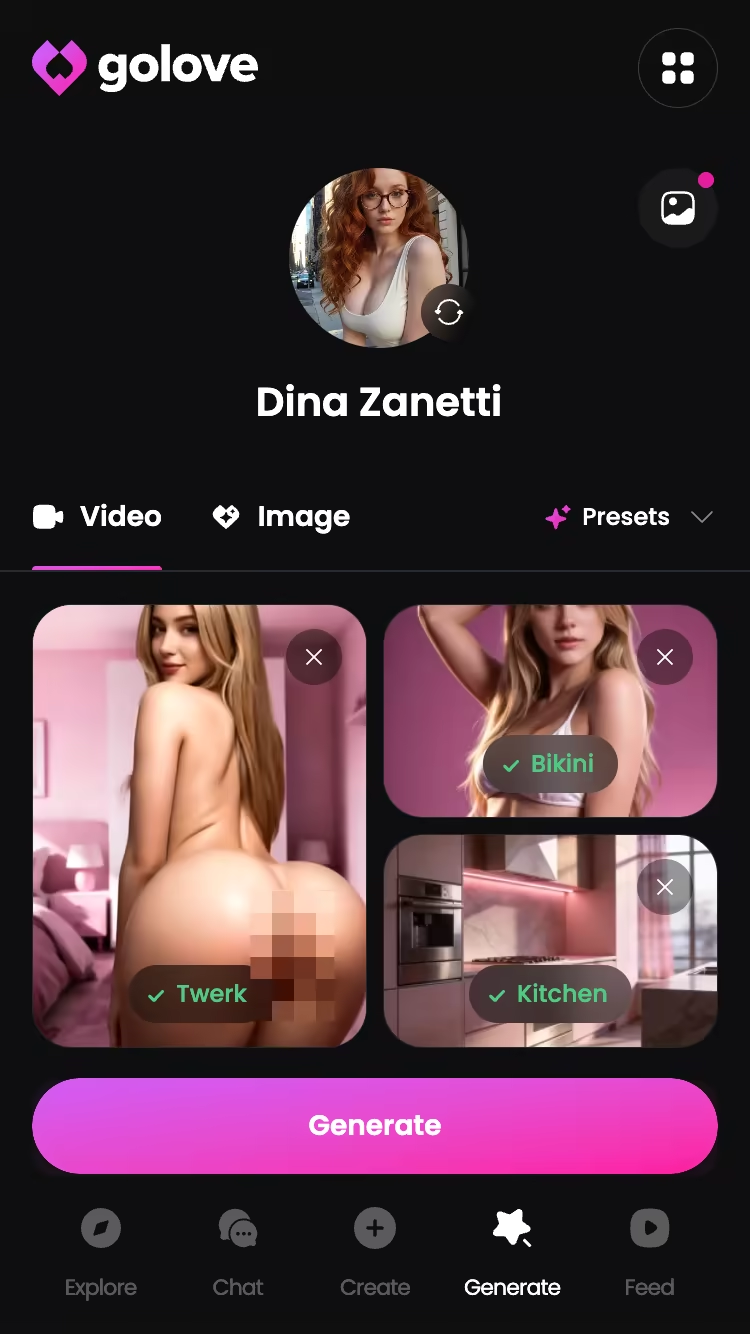
The mode library is the part worth knowing about: 76 realistic video modes for female and male characters, plus 20 anime, 35 trans and 16 anime-trans — 147 total. Labels are plain-English cards like Twerk, Instant Undress or Hard Doggy Style, so you're picking from a grid rather than writing prompts.
Two things make this stick. First, it's the same generator that powers the Feed — nothing hidden behind a pro-creator tier. Second, it runs on characters you already talk to, which loops back to the point: continuity across chat, photos and video, one identity throughout.
Pricing: CrushAI vs GoLove.ai, Tier by Tier
CrushAI's plan structure changes often enough that I won't quote a figure I can't stand behind — check their site directly before you commit. What I can lay out is GoLove's shape, and where the paywall actually sits.
| Tier | Approx. price | What you get |
|---|---|---|
| GoLove free | $0 | 2 free Stars daily, Explore, chat entry, limited number of new Feed videos per day |
| GoLove PRO monthly | ~$19.99/mo | Unlimited Feed + Feed filters (style, gender, age), full feature access |
| GoLove PRO annual | ~$119.88/yr (~$9.99/mo) | Same as monthly, cheapest per month |
| Star packs | ~$9.99 – ~$179.99 | One-off generation currency (starter → maximum tiers) |
| CrushAI | Varies | Image generation credits; pricing changes often — check their site |
Two honest caveats. Prices vary meaningfully by region — some geos see closer to ~$12.99/month — and GoLove runs recurring promos (a −70% PRO banner and a −58% annual offer have both surfaced, and the banners get loud). The number you see may not be the number above.
Prices checked 2026-09; promos vary.
The strongest proof isn't a price row anyway — it's what a continuous chat looks like when the memory is doing its job. Open the Feed, start a thread, and see whether she holds it before you spend a cent.
What We Couldn't Verify at GoLove.ai
Three honest gaps, and none of them change the verdict.
Promo pricing. The discounts are real and repeatedly observed, but nobody can tell you whether a −70% banner holds next month or vanishes. Regional pricing makes it worse — two readers on the same plan can see genuinely different totals. Treat every figure above as a snapshot, not a guarantee.
Free-tier limits. 2 Stars per day is documented. The Feed's daily allowance of new videos isn't — it exists, it's limited, and once it runs out you hit an "Unlock Unlimited Feed" wall. I'm not going to guess the count. Assume the free tier is a sampler, not a home.
Memory depth. Memory is a core, documented feature, and relationship progression is built on top of it. How far back it reaches over months of heavy use isn't something the product spells out publicly, so I can't tell you where the ceiling sits — only that it clearly exists, where image-first tools have none.
Fair reading: known limits, no dealbreakers.
and watch their story unfold.View Character
The Bottom Line on CrushAI
CrushAI is a good image generator with a chat window attached. GoLove.ai is a companion app that also generates.
Stick with CrushAI if you want a one-off picture. Fast render, granular sliders, done — you're not after a relationship, and paying for memory you'll never touch makes no sense.
Switch to GoLove.ai if you want her to still be there tomorrow. That's the specific reason: memory that carries your history forward, live voice calls and voice messages, photos requested inside the chat, and video built from those photos — all on the same character, no resets.
Everything else in this comparison is a detail. Continuity is the decision.
Pick a character, set the voice and response length once, and see whether the second conversation feels different from the first. It will.
The short version: GoLove.ai covers the essentials in one place — live voice calls, memory across chats, and in-chat photos (35 poses, 21 outfits) — and the 2 free daily stars mean you can test it before spending anything.
See also: AI Girlfriend Chat, AI Girlfriend Image Generator and AI Girlfriend That Feels Real.
| What you get | GoLove.ai |
|---|---|
| Real-time voice calls | Yes — per-character voices |
| Memory across chats | Yes — remembers your details |
| In-chat image generation | Yes — 35 poses & 21 outfits |
| Daily reward stars | 2 every day |
Frequently Asked Questions
Related Articles

Most Advanced AI Girlfriend: Memory, Voice and Video
Most advanced AI girlfriend? GoLove.ai wins on memory, live voice calls and in-chat photos and video: 147 video modes, mobile Feed tab.

MyDreamCompanion.com: Why GoLove.ai Wins Instead
I tested MyDreamCompanion.com, then GoLove.ai — GoLove wins on live voice, real photo-to-video, and memory that actually sticks.

HoneyGF Alternative: Why GoLove.ai Wins on Voice
HoneyGF alternative: GoLove.ai wins with live voice calls, real memory and realistic photos — compare plans before you sign up, no email needed.
AI Girlfriend with Image Generation: 35 Poses to Video
AI girlfriend with image generation — GoLove.ai wins on in-chat photo requests and 35 realistic poses. Compare the preset numbers, then start in Explore.